Kabbara Office
Kabbara Office is a digital solution built to help Deputy Karim Kabbara manage and respond to public service requests efficiently.
- Discipline
- Mobile app design
- Role
- UI / UX Design
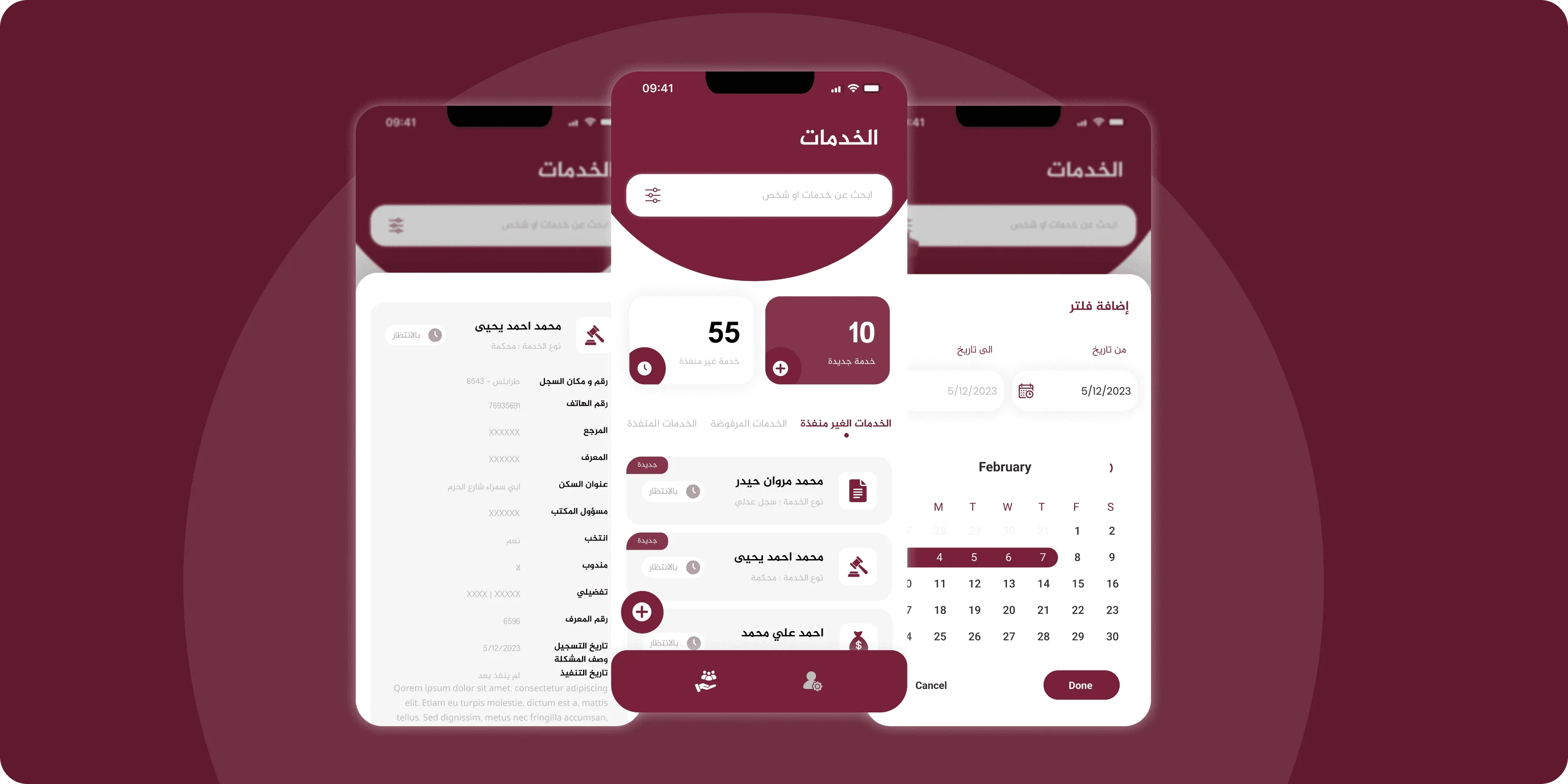
The platform allows users to submit various help requests (legal, financial, employment, etc.) and enables the deputy’s team to track, filter, and manage these cases with clarity and speed.
Deputy Karim Kabbara's office faced growing difficulty managing a high volume of public assistance requests using traditional methods.
Created low-fidelity wireframes focused on core workflows:
• Services dashboard showing new and pending requests. • Search and filter functionality to quickly locate requests. • Request detail view with status updates and user info. Built interactive prototypes to validate workflows: • Receiving and tagging new requests by type (legal, financial, etc.). • Changing request statuses (new, pending, approved, rejected). • Filtering services by type and requester name. The final UI reflected an official, clean, and highly readable design. Highlights included: • A color-coded system for request status. • Easy-to-use filters and categorization tools. • Arabic-first design for accessibility to the intended audience.
All requests are now logged and easily trackable in one place.
Staff can instantly see which requests are new, pending, or completed.
Filtering and search tools significantly reduced the time to locate and act on requests.
The screens that carry the work.
Deputy's team appreciated the clarity and ease of use.
The Deputy expressed interest in expanding the system to manage more public-facing initiatives.